
%20(1).webp)
How to Move a TV Without Cracking the Screen
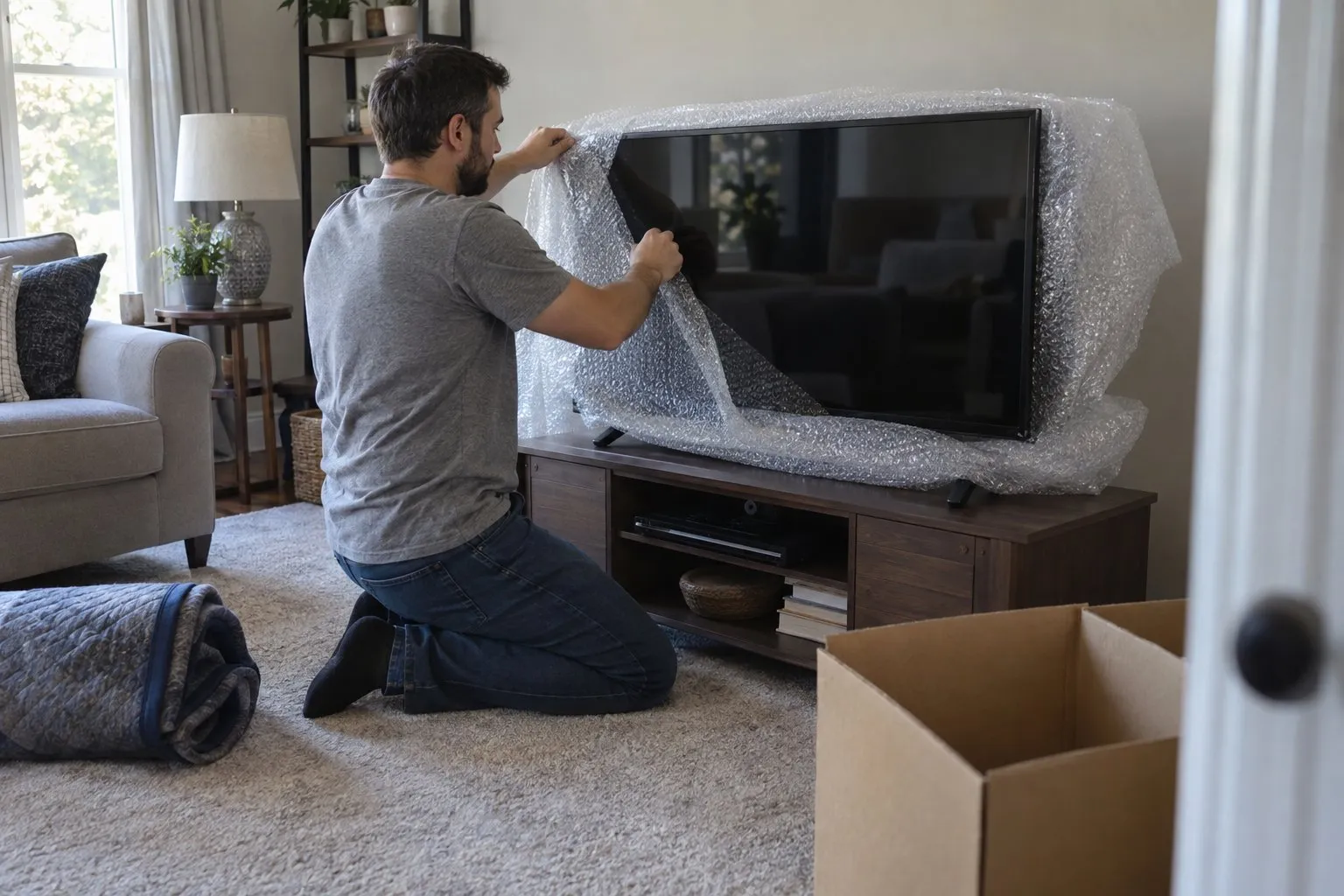
You move a TV without cracking the screen by keeping it upright at all times, protecting the panel with a layer that cushions rather than presses, and securing it so it cannot shift or tip during transport. Modern flat screens look sturdy but the LCD or OLED panel behind the glass is thin and flexes under pressure, which is why so many TVs arrive at a new home with a spiderweb crack even though the box never looked damaged from the outside. Most of the damage happens from lying the TV flat, stacking something on top of it, or letting it slide in a moving truck, not from a single dramatic drop.
If you no longer have the original box or you are moving the TV yourself instead of scheduling professional movers, here is what actually keeps the screen intact from the living room wall to the new house.
Why Do TVs Crack So Easily During a Move?
TVs crack during moves because the screen has almost no structural support behind it and is designed to be viewed, not leaned on. A flat panel can absorb a light poke to the front, but any pressure applied while the TV is lying down, especially from another box or a hand pressing to check for wobble, can crack the panel from the inside without leaving a visible dent.
Temperature swings also play a role. Moving a TV in an unheated truck during a cold week, then plugging it in right away in a warm house, can stress the internal components even if the glass survives the ride. Vibration over long distances adds up too, especially if the TV is not braced against anything.
How Do You Pack a Flat Screen TV for Moving Without the Original Box?
Without the original box, you recreate its protection with a TV moving box or heavy blankets, corner protectors, and a snug outer layer that stops the screen from flexing. The goal is to sandwich the panel between rigid material on both sides so nothing can press directly against the glass.
Using a TV Moving Box
Specialty TV boxes are adjustable cardboard sleeves with foam inserts that fit various screen sizes. They are sold at moving supply retailers and some big-box stores, and they are worth the cost for screens over 40 inches since a bent corner on a large panel is expensive to replace. Slide the TV in gently, add the foam corner pieces, and seal the box so it cannot flex open in transit.
Using Blankets and Bubble Wrap Instead
If a box is not available, wrap the screen first in a static-free layer like bubble wrap or a thin foam sheet, never packing paper directly against the glass, then wrap moving blankets around the whole unit and secure them with stretch wrap or tape on the blanket only, not the screen. Add cardboard corner guards over the blanket at each corner, since corners take the brunt of bumps against doorways and stair rails.
What Is the Safest Way to Load and Transport a TV in a Moving Truck?
The safest way to transport a TV is upright, wedged between soft, stable items so it cannot tip, slide, or have anything set on top of it. Never lay a flat screen down flat, even briefly, since the weight of the panel resting on its own face is enough to crack it over a bumpy ride.
Stand the TV between the mattress and a wall of boxes, or use a rolled rug or moving blankets as a buffer on either side. Keep it away from the truck's back door where sudden stops cause the most shifting, and place it toward the middle of the load where padding from other items absorbs vibration. If you are hiring help for the heavier parts of the move, ask about professional packing services for electronics specifically, since a crew that packs TVs daily will have foam corner kits and TV boxes on hand that most households do not keep in the garage.
Should You Keep the TV Mount Attached or Remove It First?
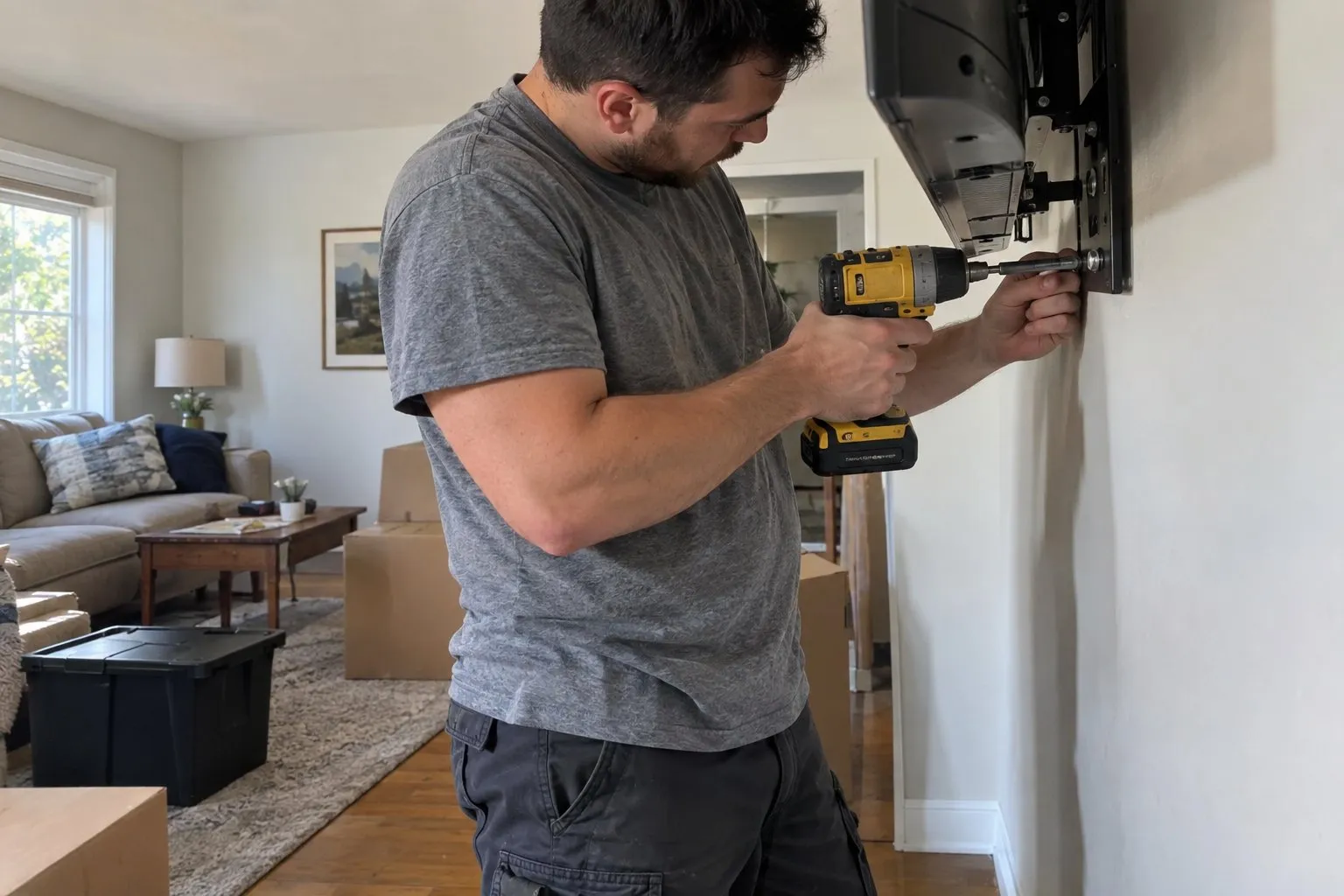
Remove the wall mount bracket before moving day rather than trying to move the TV with the mount still attached. Loose mounting arms can swing and press into the back panel, and a mount left on the TV also makes it harder to wrap the corners properly.
Unscrew the bracket from the back of the TV using the original hardware if you kept it, and pack the screws and mount plate together in a labeled bag taped to the moving blanket or box so they travel with the TV rather than getting lost in a junk drawer. If you are moving several rooms of electronics at once, this is also a good moment to check how local moving services handle disconnecting and reconnecting mounted TVs, since some crews include basic mount removal as part of the job.
What Mistakes Actually Cause Most TV Screen Damage?
Most TV damage during a move comes from laying it flat, stacking boxes on top of it, or leaving it unsecured so it tips over when the truck brakes. These are all avoidable with a few minutes of extra care.
- Laying the TV screen-down on a table or truck bed, even for a few minutes while loading other items
- Setting boxes, lamps, or bags on top of the TV because it looks flat and available
- Wrapping the screen so tightly with tape that the plastic bezel bends inward under pressure
- Carrying the TV by the screen edges instead of the frame, which can flex the panel
- Plugging the TV in immediately after a cold truck ride without letting it acclimate to room temperature first
Is It Worth Hiring Movers Just for a TV?
Hiring movers for a single TV rarely makes sense on its own, but if the TV is part of a larger household move, letting trained movers handle the electronics alongside everything else is usually worth it. A large OLED or curved screen can run into thousands of dollars to replace, and the labor cost of proper handling is small compared to that risk.
If you are already comparing quotes for an upcoming move, ask whether TV boxes and corner protection are included or billed separately. You can get a sense of pricing and what is covered by requesting a free moving quote from Moving Masters before deciding whether to pack the TV yourself or leave it to the crew.
Final Thoughts
A cracked TV screen is one of the most frustrating and expensive things that can happen on moving day, and almost all of it is preventable with upright transport, proper corner protection, and a little patience with temperature changes. Whether you use a specialty box, blankets, or a professional crew, the core rule stays the same: protect the corners, never lay it flat, and never let anything rest against the panel.
Frequently Asked Questions
Can a TV be transported lying down for a short trip?
It is best avoided even for short trips. Laying a flat screen down puts the weight of the panel on its own face, and a single pothole or hard brake can crack it even over a distance of a few miles.
How long should a TV sit before turning it on after a move?
Give it at least one to two hours to reach room temperature if it traveled in a cold or hot truck, longer in extreme weather. Turning it on while internal components are still adjusting to temperature can shorten its lifespan.
What size box do I need to pack a 55 inch TV for moving?
Look for a TV moving box sized for screens between 50 and 58 inches, which most moving supply stores stock as a standard size. If none is available, blanket wrapping with reinforced corner guards is a solid substitute.
Is bubble wrap safe to put directly on a TV screen?
Plain bubble wrap is generally safe, but avoid pressing the bubbled side directly against the screen for long periods in heat, since it can occasionally leave texture marks on some panel coatings. A thin foam sheet or the TV's original foam is a safer first layer.
Do I need insurance for a TV during a move?
Most moving companies offer valuation coverage that can include high-value electronics, but standard coverage may not cover the full replacement cost of a large TV. It is worth asking your movers directly what is included before moving day.

Frequently Asked Questions
It is best avoided even for short trips. Laying a flat screen down puts the weight of the panel on its own face, and a single pothole or hard brake can crack it even over a distance of a few miles.
Give it at least one to two hours to reach room temperature if it traveled in a cold or hot truck, longer in extreme weather. Turning it on while internal components are still adjusting to temperature can shorten its lifespan.
Look for a TV moving box sized for screens between 50 and 58 inches, which most moving supply stores stock as a standard size. If none is available, blanket wrapping with reinforced corner guards is a solid substitute.
Plain bubble wrap is generally safe, but avoid pressing the bubbled side directly against the screen for long periods in heat, since it can occasionally leave texture marks on some panel coatings. A thin foam sheet or the TV's original foam is a safer first layer.
Most moving companies offer valuation coverage that can include high-value electronics, but standard coverage may not cover the full replacement cost of a large TV. It is worth asking your movers directly what is included before moving day.