
%20(1).webp)
How to Move a Standing Desk, Monitor Arms, and Cable Clutter Without Losing an Hour of Setup
You move a standing desk by lowering it to its minimum height, unplugging and labeling the motor cables before disconnecting anything else, and removing monitor arms separately instead of leaving them clamped to the desktop. Electric standing desks pack a motor, a control box, and often a tangle of monitor arm hardware into one piece of furniture, and none of that was designed to survive a truck ride. A desk that gets tipped on its side with the motor still attached, or dragged with monitor arms still clamped on, is the most common way people end up with a wobbly desk or a cracked control panel in the new house.
This is a workstation problem more than a furniture problem. Most of the moving guides out there cover dressers and bed frames; almost none of them cover the gear that sits on top of a desk in a home office, which is exactly what trips people up on moving day.
Why Do Standing Desks Get Damaged During a Move More Than Regular Desks?
Standing desks get damaged more often because they carry moving parts, a motor, and exposed wiring that a fixed-height desk simply does not have. A traditional desk is just a slab and legs; a standing desk is closer to an appliance with a tabletop attached.
The motor and lifting columns inside the legs are calibrated to move in sync. If the desk gets racked sideways, laid flat with weight on one leg, or jostled hard enough to knock the internal gearing out of alignment, some desks will start lifting unevenly once they're reassembled. The control box and its ribbon cable are also fragile connection points that were never meant to be yanked or bent at a sharp angle during a rushed pack-up.
How Do You Prepare a Standing Desk for Moving Day?
Lower the desk to its lowest setting before you do anything else, then power it off and unplug it from the wall. Working at the lowest height keeps the internal lifting columns fully retracted and protected, which is the position they're built to travel in.
- Take a phone photo of the current cable layout at the control box before disconnecting anything, so reassembly does not turn into guesswork.
- Unplug the control box cable and the motor cables at the leg columns, then coil each one loosely and tape it to the inside of the leg it came from so cables don't get separated from their desk.
- Remove the desktop from the frame if your model allows it. Most standing desks use a handful of bolts connecting the top to the leg frame, and separating them turns one awkward, heavy item into two manageable pieces.
- Wrap the control box and any exposed wiring in a small towel or bubble wrap and secure it with tape so it can't snag on anything during loading.
What Is the Right Way to Move Monitor Arms and Multi-Monitor Setups?
Monitor arms should come off the desk entirely rather than travel while still clamped on, and each monitor should be boxed separately with its own cables. A clamped arm left attached during transport puts constant leverage on the desk edge, and it's an easy way to chip laminate or crack a clamp mount when the desk shifts in the truck.
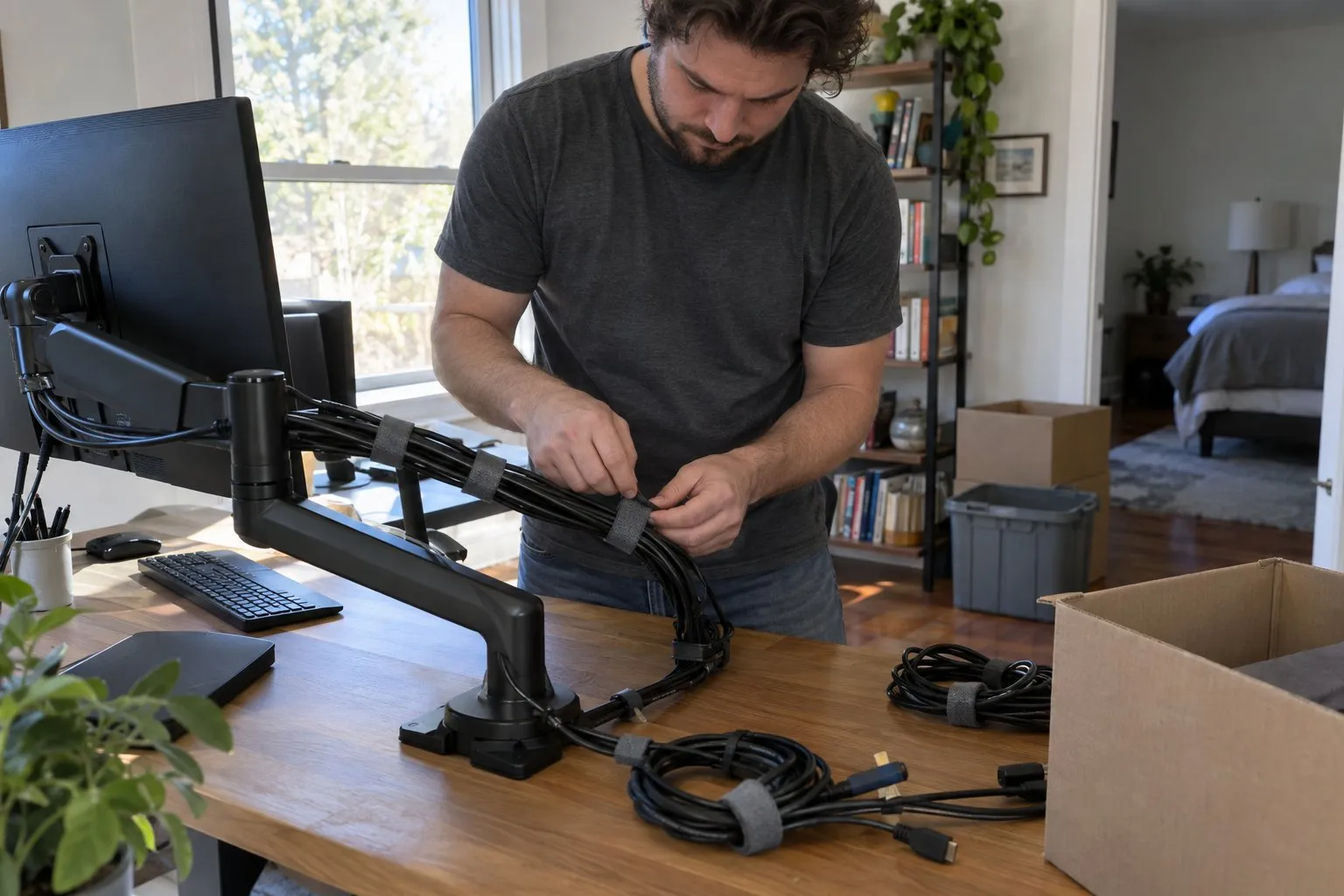
Loosen the clamp and lift the arm free of the desk, then retract the arm's internal cable channel if it has one before coiling the video and power cables loosely around the arm itself. Label each monitor's cable bundle with a piece of tape noting which port it came from (DisplayPort, HDMI, power) so a three or four-monitor setup doesn't turn into an afternoon of trial and error at the new desk.
Pack monitors upright in their original boxes when you still have them. Without the original box, wrap each screen in a moving blanket, stand it on its edge inside a sturdy box padded with packing paper, and never lay monitors flat under other items.
How Should You Organize Cables So Your New Office Sets Up in Minutes, Not Hours?
The fastest way to avoid a cable disaster is to bag and label by device rather than by cable type. A gallon zip bag per device, taped to that device or placed in the same box, means you plug in one item at a time instead of untangling a single mass of cords later.
Use a printed label or a strip of painter's tape on each bag noting what it powers: "desk motor," "monitor 1," "dock/hub." Keep power bricks with their matching cables rather than grouping all power bricks together, since generic-looking adapters are easy to mismatch between devices. If you use a cable management tray or spine under your desk, leave short runs of cable attached to the tray itself rather than fully removing everything, so the tray goes back in with most of its wiring already intact.
Should You Hire Movers for a Home Office Setup or Handle It Yourself?
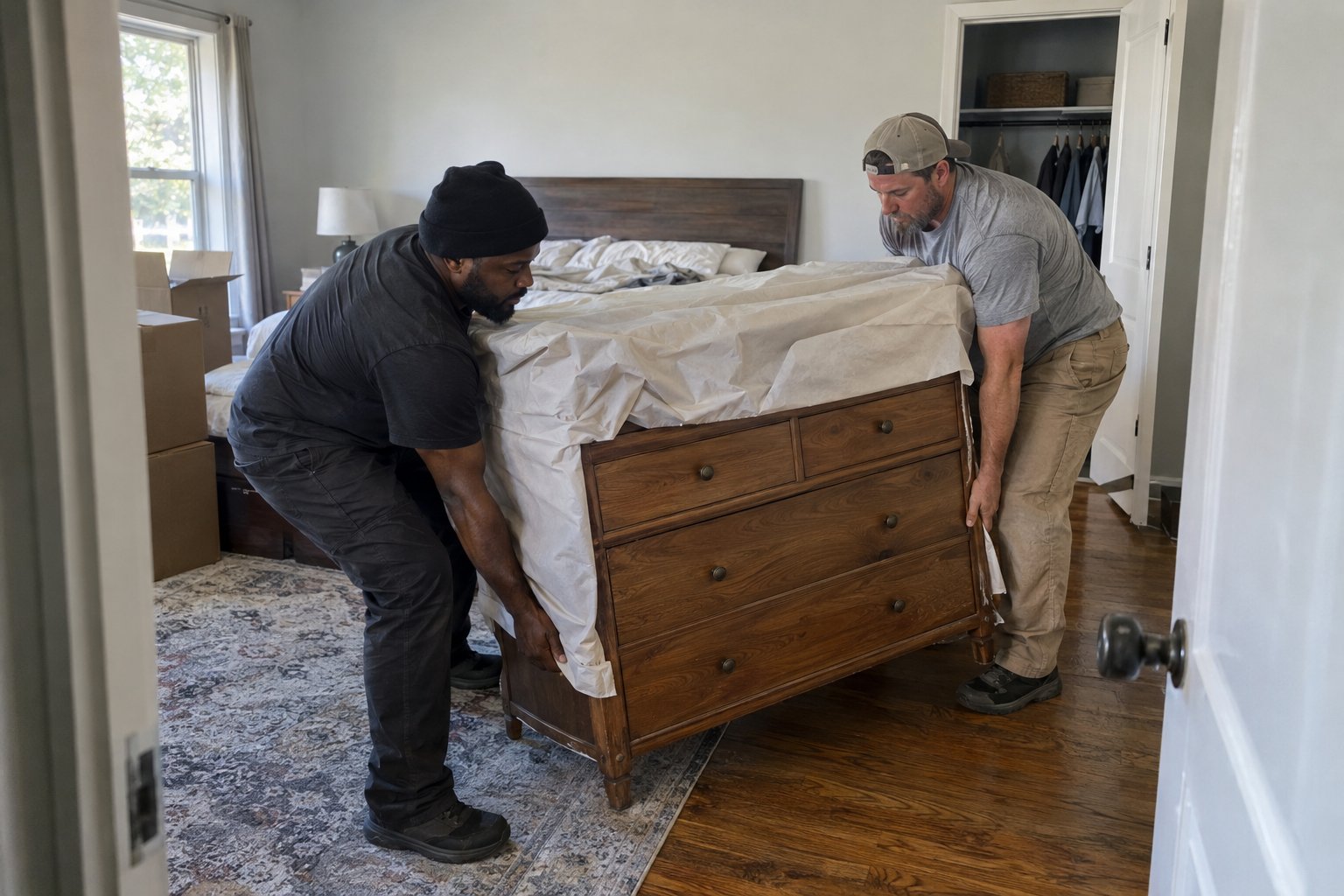
A single standing desk and monitor setup is usually manageable on your own with an hour of prep, but if your move includes a full home office along with other rooms, bundling it into a professional move often saves more time than it costs. The prep steps above (lowering the desk, disconnecting cables, boxing monitors) take real time on a day when you're already stretched thin packing everything else.
If your home office is one part of a larger move, our professional packing services can handle the fragile electronics and cabling alongside the rest of the house, so you're not the only one managing monitor boxes while also loading a truck. And if the desk and monitors are just one piece of a move across Chattanooga, our local moving services team is used to handling home office equipment as part of a normal load, not a special case.
For desks and electronics that need to travel farther, see our guide on how to move across the country for tips on protecting sensitive equipment over a longer haul, since vibration and temperature swings matter more the longer the trip.
What Should You Do If the Desk Won't Level Correctly After the Move?
If your standing desk lifts unevenly or one side lags after reassembly, most models have a reset or recalibration sequence, usually holding the up and down buttons on the control pad simultaneously for several seconds. Check the manufacturer's manual for the exact sequence, since it varies by brand.
This is almost always caused by the motor being jostled during transport rather than a permanent failure, and recalibrating fixes it in the vast majority of cases. If recalibration doesn't resolve it, check that every leg cable is fully reseated in its port, since a loosely connected cable can look like a motor problem when it's really just a connection issue from reassembly.
Getting a home office running again after a move should not eat your whole first week in a new house. A little prep on desk and cable disassembly before moving day means you're back to a working setup within the hour, not hunting for the right HDMI cable three days later.
If you'd rather hand off the whole move, including the home office, get a moving quote from Moving Masters and we'll build a plan around your equipment.
Frequently Asked Questions
Do I need to fully disassemble a standing desk before a move?
Not always. If the desk fits through doorways and into the truck without disassembly, you can leave the frame together as long as it's lowered to its minimum height and the cables are disconnected and secured. Full separation of the top from the legs is mainly needed for tight stairwells or long-distance moves where the extra protection is worth the reassembly time.
Can moving a standing desk damage the motor permanently?
It's rare for a motor to be permanently damaged just from transport, even a rough one. Most issues that show up after a move, like uneven lifting or a lagging side, are calibration problems that a manufacturer reset sequence resolves rather than hardware failures.
Should I remove monitor arms or leave them mounted for a short move?
Even for a move across town, it's worth removing monitor arms. A clamped arm puts ongoing pressure on the desk edge during transport, and a short trip in a bumpy truck can still be enough to chip the desk surface or loosen the clamp mechanism.
What's the best way to label cables so I don't mix up my monitor setup?
Bag cables by device rather than by type, and tape a label to each bag noting what it connects (monitor 1, desk motor, dock). Taking a quick photo of your desk setup before disconnecting anything also gives you a reference to check against once everything is unpacked.
Will professional movers handle a standing desk and monitors, or should I move them myself?
Professional movers can absolutely handle a standing desk and monitor setup as part of a larger move, especially when packed and labeled ahead of time. Many people choose to disconnect and box the electronics themselves for peace of mind, then let the moving team handle the transport and heavy lifting.


Frequently Asked Questions
Not always. If the desk fits through doorways and into the truck without disassembly, you can leave the frame together as long as it's lowered to its minimum height and the cables are disconnected and secured. Full separation of the top from the legs is mainly needed for tight stairwells or long-distance moves where the extra protection is worth the reassembly time.
It's rare for a motor to be permanently damaged just from transport, even a rough one. Most issues that show up after a move, like uneven lifting or a lagging side, are calibration problems that a manufacturer reset sequence resolves rather than hardware failures.
Even for a move across town, it's worth removing monitor arms. A clamped arm puts ongoing pressure on the desk edge during transport, and a short trip in a bumpy truck can still be enough to chip the desk surface or loosen the clamp mechanism.
Bag cables by device rather than by type, and tape a label to each bag noting what it connects (monitor 1, desk motor, dock). Taking a quick photo of your desk setup before disconnecting anything also gives you a reference to check against once everything is unpacked.
Professional movers can absolutely handle a standing desk and monitor setup as part of a larger move, especially when packed and labeled ahead of time. Many people choose to disconnect and box the electronics themselves for peace of mind, then let the moving team handle the transport and heavy lifting.